The Great Summer Game: Trip Edition
In the summer of 2026 our family went away on a long trip abroad and we couldn't play the Great Summer Game. My kids wanted a game anyway, so I decided to build one that fits travelling.
I decided to make an app that lets me set photography challenges and contests as we go, and lets the kids see the challenges and upload the photos, which I then "judge" at the end of the day. Every time we reached somewhere new they got their challenges and started taking photos. It really was fun, and everyone's photography skills got noticeably better.
I built the app from the start so that any family could run it, on any trip. Give it a try.
User guide
What is it?
The Great Summer Game: Trip Edition is a photography game for a family trip. The point of it is for the children to realise that their phones are not only screens, they are also a camera.
In the game there are two kinds of thing they can do:
- Challenges: something to do, with the photograph as the proof. "Build a tower out of ten stones." Either you did it or you did not.
- Contests: everybody photographs the same subject, and the best photograph wins. "Sunset", say, or "a reflection".
You can use the challenges and contests that come with the app, or add your own at any moment.
Installing it
The app runs in the browser; there is nothing to download from an app store. It is still worth adding it to the home screen, so that it opens faster and behaves like any other app.
On an iPhone or iPad
- 1Open the link in Safari (this matters, it will not work in Chrome).
- 2Tap the share button, the square with the arrow coming out of it.
- 3Scroll down and choose Add to Home Screen.
- 4Tap Add.
On Android
- 1Open the link in Chrome.
- 2Tap the three dots in the corner.
- 3Choose Install app, or Add to Home screen.
Permissions
The first time a child takes a photograph the phone asks for the camera, and you have to allow it. If "Don't allow" gets tapped by mistake, it can be undone in the phone's settings, under the browser's permissions.
Getting started, as the parent
- 1Create a new game and give it a name.
- 2Add the children as players.
- 3Pick challenges and contests from the ready-made lists, or write your own.
- 4Share the link with the children.
What the parent does during the trip
On each morning of your trip, open three or four new challenges that suit whatever the day holds. A day in the Amazon? "A giant tree in the jungle", "three shades of green". A day at Disney? "A selfie with a character".
During the day, leave the game to run itself. The children shoot, upload, and see each other's work.
In the evening, go through the day's photographs and decide who won each contest, and whether the challenges were met.
You can also send a contest out to be judged by your family and friends, which is worth doing. You can create a link for a contest and share it via WhatsApp. Your family and friends can vote for the photograph they like best and help you with your decision.
Common questions
Does it need an internet connection?
Yes, to upload photographs. Where there is no signal, shoot with the phone's ordinary camera and upload from the gallery later.
Can you upload screenshots?
Yes. Some of the challenges are built for exactly that: the day's step count, the weather, a timer stopped on ten seconds.
Can you add challenges and contests as you go?
Yes, at any moment. The best ideas usually turn up on the trip itself.
 01
01The start screen. A parent opens a new game or steps into one already running.
 02
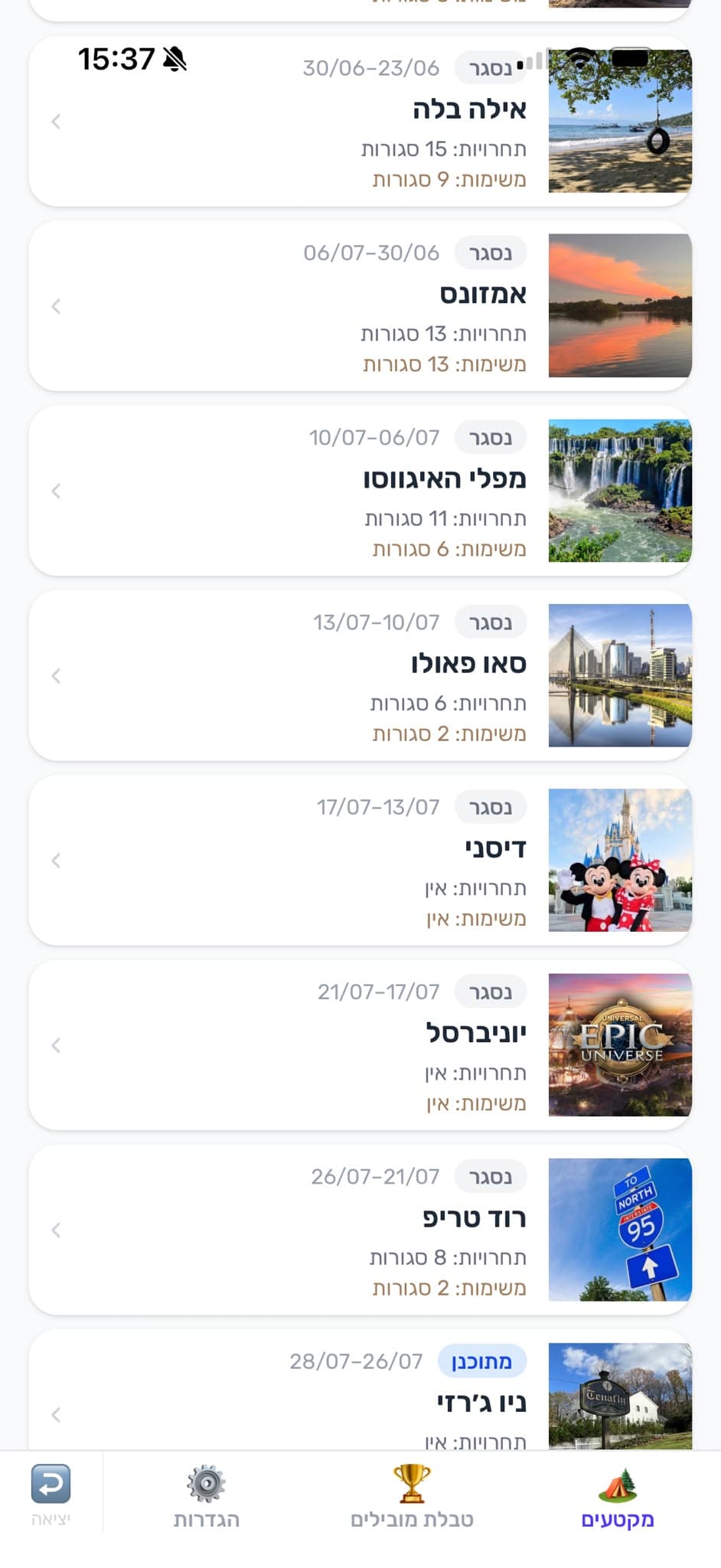
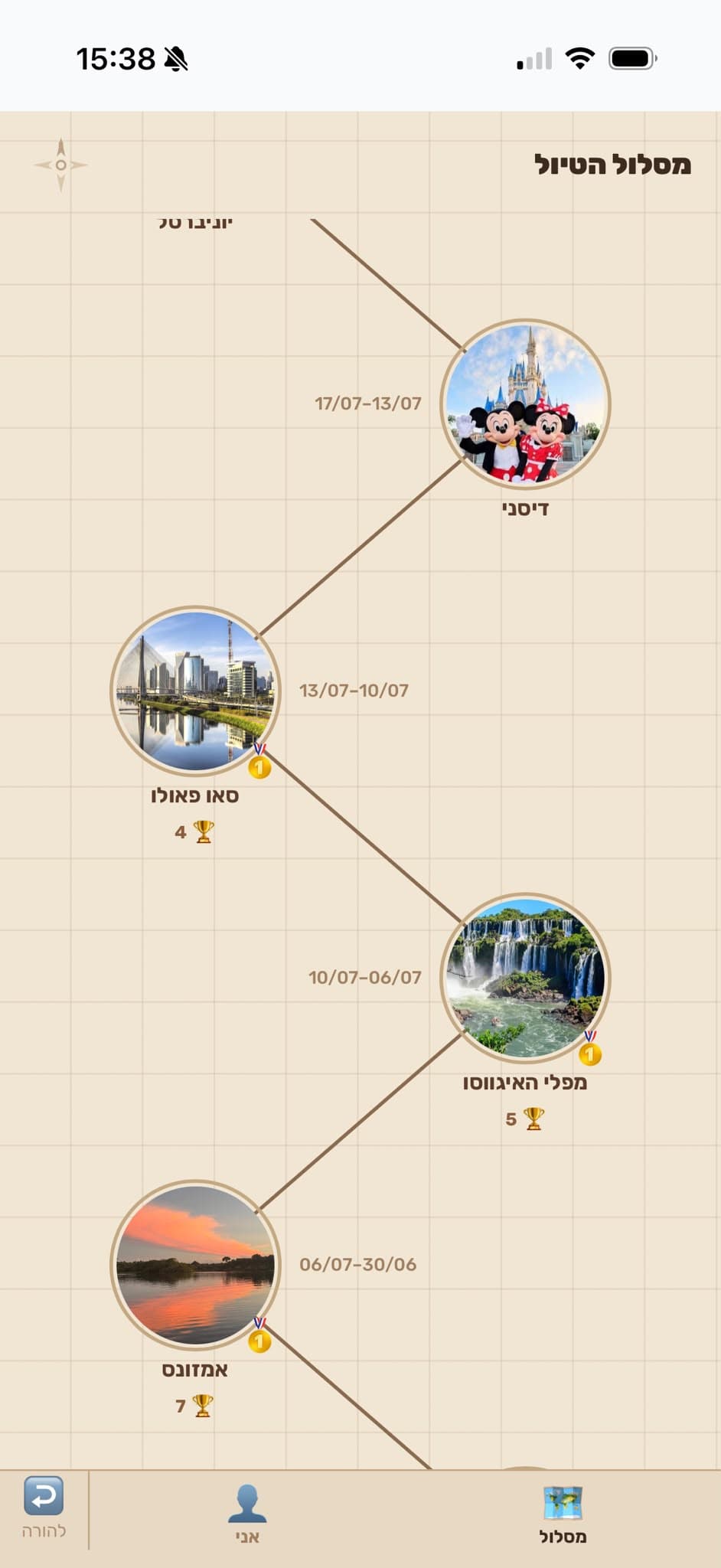
02The trip is cut into segments by place and date, and each one holds its own challenges and contests.
 03
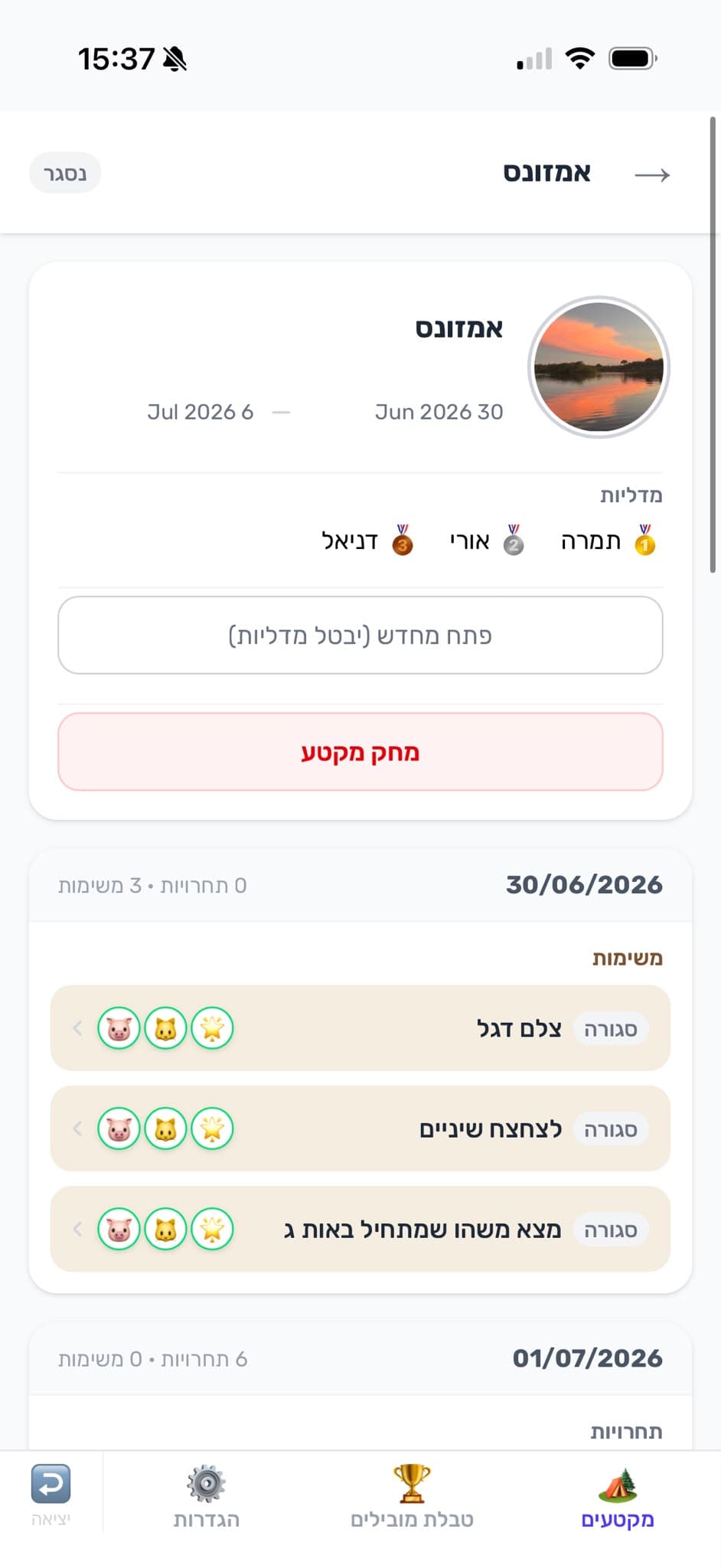
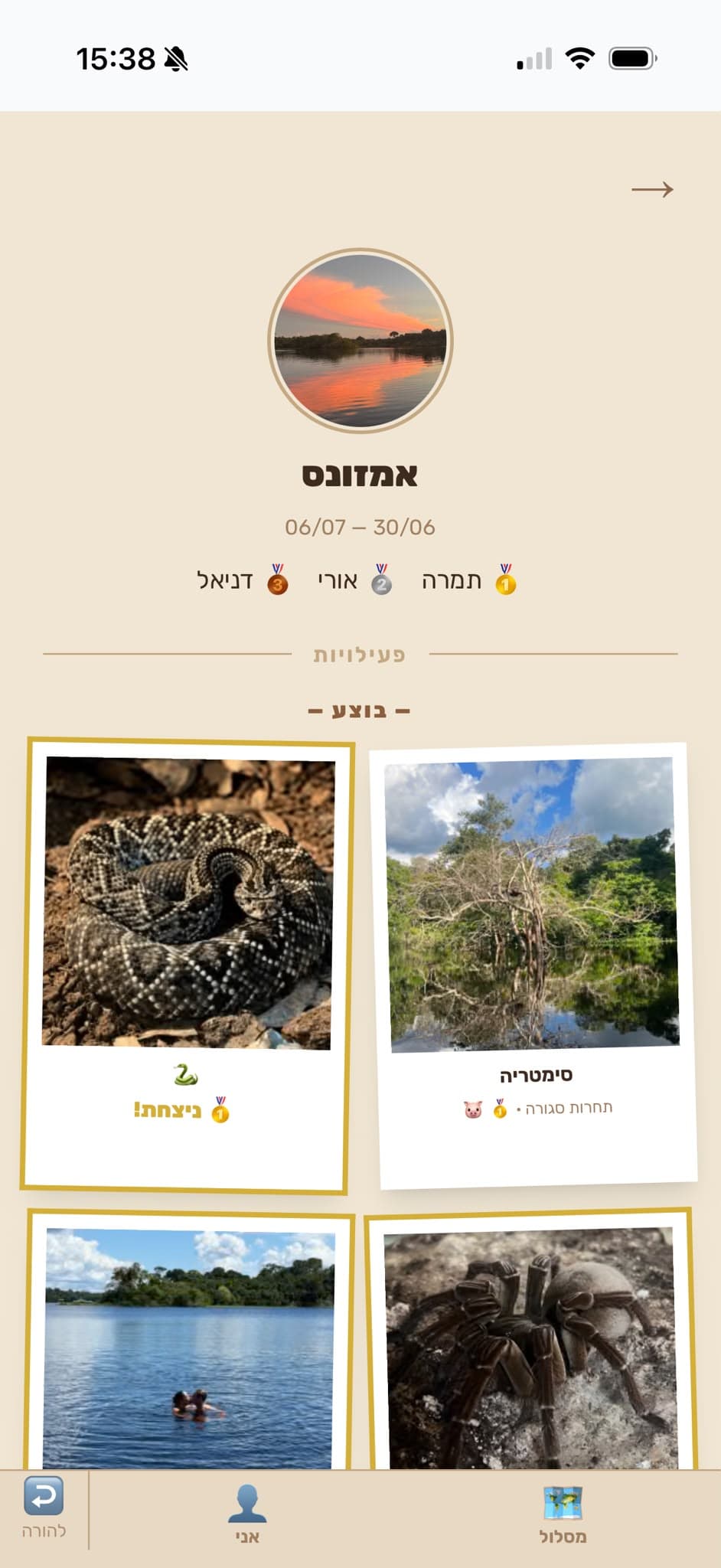
03The same segment from inside: who has collected medals, and what opened on each day.
 04
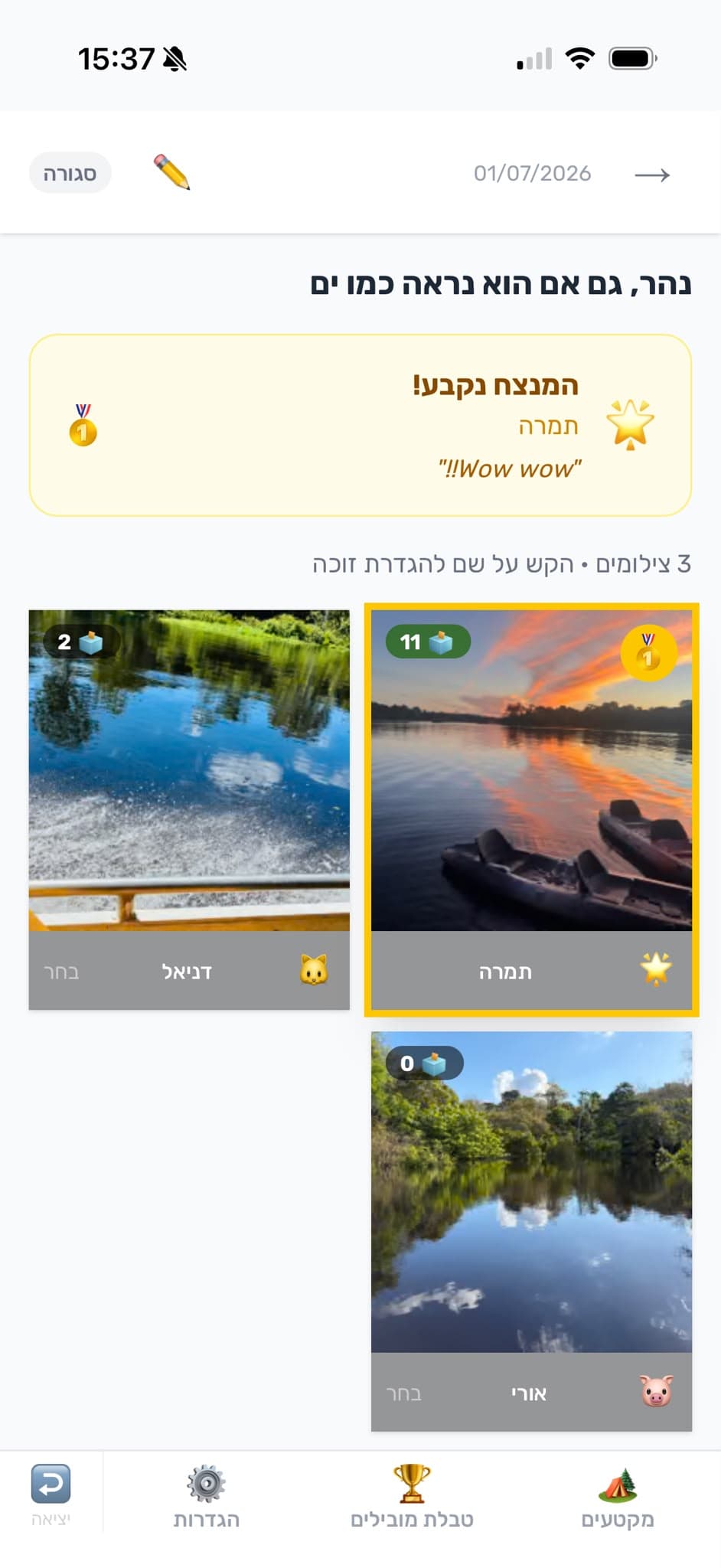
04In the evening you judge. One subject, several photographers, one winning photograph.
 05
05And what the children see: the route, one segment after another.
 06
06And what it leaves behind: the photographs taken, each beside what was asked of it.